Supported fact
Directly anchored to a source passage or data cell.
A report is more trustworthy when its reader can distinguish evidence from interpretation without reverse-engineering the prose.
Directly anchored to a source passage or data cell.
Provided by the author, but not independently evidenced.
A transparent interpretation across one or more sources.
Required information that the evidence does not establish.
A consequential judgment reserved for an accountable person.
ReportVerity treats source files as untrusted, parses them inside a bounded pipeline, and preserves the connection between each generated claim and the evidence it relies on.
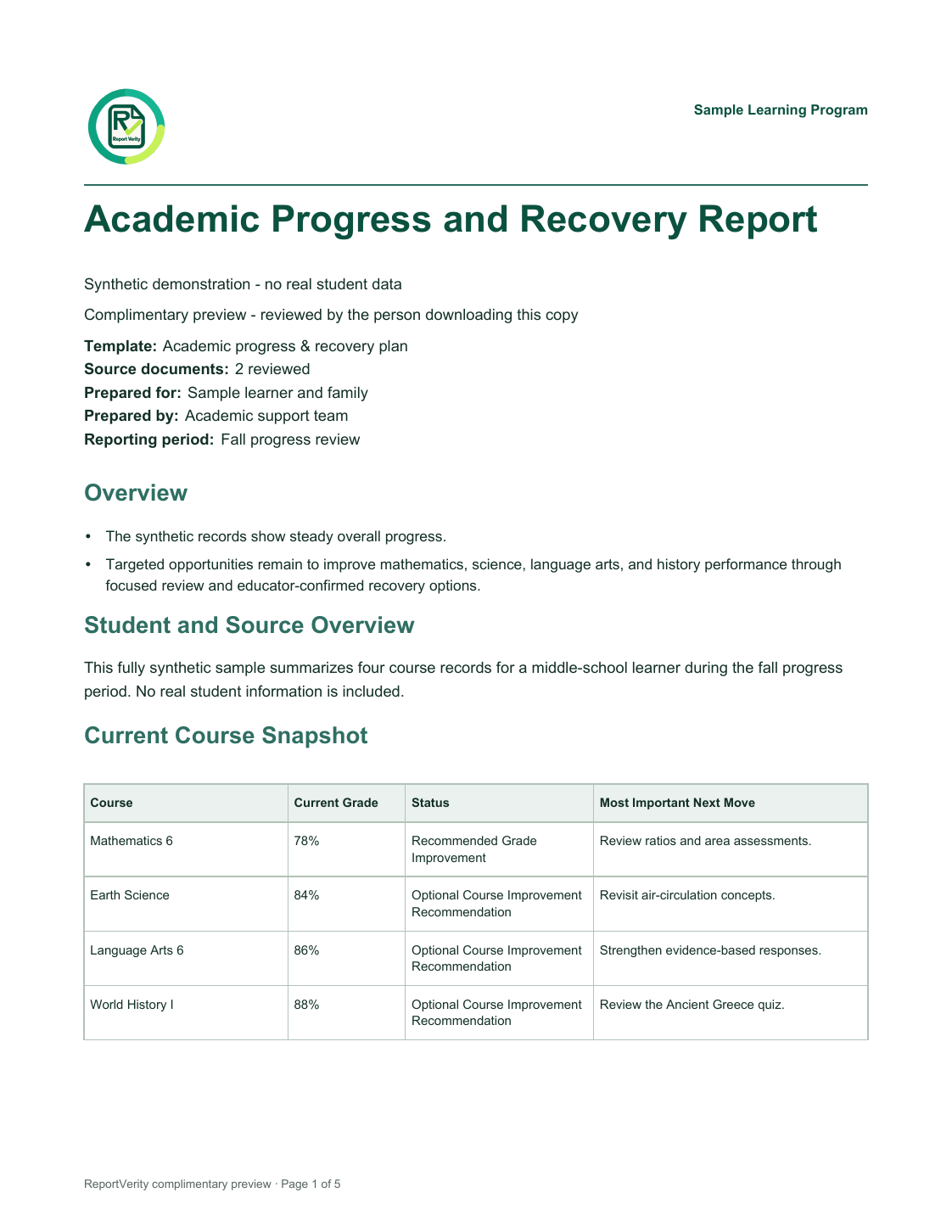
Direct page render from the matching synthetic PDF. No real student data.
Open the exact sample PDFRequirements vary by institution, jurisdiction, and use case. Profiles make expectations explicit while retaining limitations and a mandatory approval step.
Program reviews, learning summaries, and accreditation support—with FERPA handling marked as a conditional obligation.
Executive briefs, operating reviews, and client deliverables—with visible inputs, assumptions, and approvals.
Control narratives and evidence indexes that assist review without substituting for legal judgment or certification.
Clear answers about report generation, evidence, human review, supported files, customization, and the complimentary workspace.
ReportVerity turns source documents and structured data into professional report drafts. It keeps source-supported facts, user assertions, AI synthesis, evidence gaps, and human-review items visibly distinct.
The report workspace accepts PDF, DOCX, CSV, UTF-8 text, PNG, and JPEG files. That includes scanned receipts and phone photos, which are read with text recognition and converted into editable entries for the user to verify.
No. A reader-facing generated PDF is available immediately, but it is clearly marked as a generated draft. Formal approval and the retained approved PDF/Word export remain locked until an accountable person completes the separate evidence review.
Evidence-backed claims retain links to the specific source locations used to support them. The private review workspace displays those excerpts beside the generated claim before approval.
Yes. The complimentary report workspace lets you choose a report type, upload redacted or synthetic sources, tailor report preferences, review the generated result, and download a reviewed preview PDF without creating an account.
Complimentary-workspace files are processed transiently by ReportVerity and its AI provider and are not saved to a private workspace. Use only redacted or synthetic materials with no personal, confidential, regulated, or student records.
The complimentary workspace includes Academic progress and recovery, Expense report, Executive operating review, Compliance evidence summary, and General evidence-aware report templates. The expense workflow reads invoices and receipts into editable lines, calculates totals, and includes the original supporting files in the reviewed PDF.
Yes. Controlled options include tone, detail level, report colors, an optional organization logo, header information, and bounded closing comments. These preferences tailor presentation without overriding evidence rules.
A more inspectable first draft